 Credit: Lucas Gouveia / Android Police
 By
Rahul Naskar
Published 12 hours ago
Rahul Naskar has years of experience writing news and features related to Android, phones, and apps. Outside the tech world, he follows global events and developments shaping the world of geopolitics.
Sign in to your Android Police account
Add Us On
Summary
Generate a summary of this story
follow
Follow
followed
Followed
Like
Like
Thread
Log in
Here is a fact-based summary of the story contents:
Try something different:
Show me the facts
Explain it like I’m 5
Give me a lighthearted recap
By
Rahul Naskar
Published 12 hours ago
Rahul Naskar has years of experience writing news and features related to Android, phones, and apps. Outside the tech world, he follows global events and developments shaping the world of geopolitics.
Sign in to your Android Police account
Add Us On
Summary
Generate a summary of this story
follow
Follow
followed
Followed
Like
Like
Thread
Log in
Here is a fact-based summary of the story contents:
Try something different:
Show me the facts
Explain it like I’m 5
Give me a lighthearted recap
I stopped using Spotify as my main music and podcast streaming platform a few months ago, but I never quit the platform. I don't intend to do it in the future, either.
I keep returning to Spotify to access the playlists I've built over the years and explore AI-generated ones.
I can recreate almost the same playlist collections, or even better ones, on another platform like YouTube Music, but I don't see the same level of simplicity anywhere else.
While I prefer YouTube's algorithmic suggestions over those of other music streaming platforms, Spotify's recommendation engine is decent enough to keep me as a Premium user.
If this isn't enough praise, Spotify offers numerous excellent features that no one else has been able to do right thus far.
I'll keep my Spotify Premium account for these brilliant features, unless I get better versions of those anywhere else.
Here are five Spotify features that no other music app gets right.
 Related
6 reasons I bailed on YouTube Music and landed on Spotify's free tier
Related
6 reasons I bailed on YouTube Music and landed on Spotify's free tier
My playlists deserved better
Posts 11 By Irene OkpanachiSpotify Connect
 Close
Close
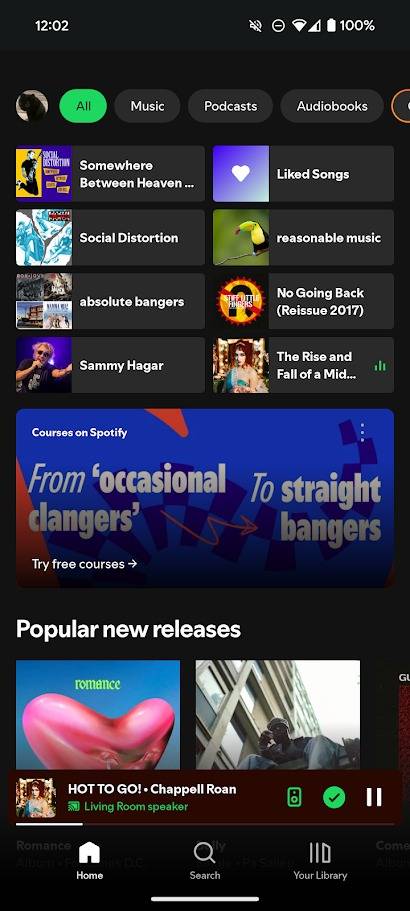
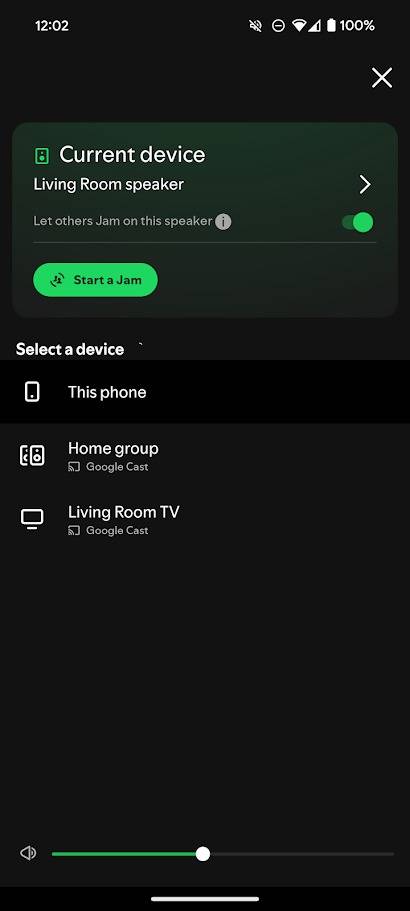
Spotify Connect is one of my favorite features on an audio-streaming platform.
If you listen to Spotify on multiple devices with the same account, Spotify Connect is a useful feature for remotely controlling the listening experience on another device.
This means I can start a podcast session on Spotify from my iPhone, continue listening for a few seconds, and then listen to the remaining part on my Samsung Galaxy S21 or laptop.
Not only that, but Spotify also allows you to control playback options, like play or pause, from another device.
So, even if I start listening to the podcast on my Galaxy S21, my iPhone can pause or play the Spotify audio playing on my Galaxy.
You can also control the volume of connected devices. This works seamlessly between Android devices.
But if you have an iPhone, you won't be able to use the device's volume buttons to adjust the sound level.
Spotify Connect is easy to use. Play something on Spotify, tap the speaker icon at the bottom of the screen, and select the device you want to play on.
However, it is worth remembering that to remotely control listening on another device, all your devices must connect to the same Wi-Fi network.
Offline Backup
 Credit: Spotify
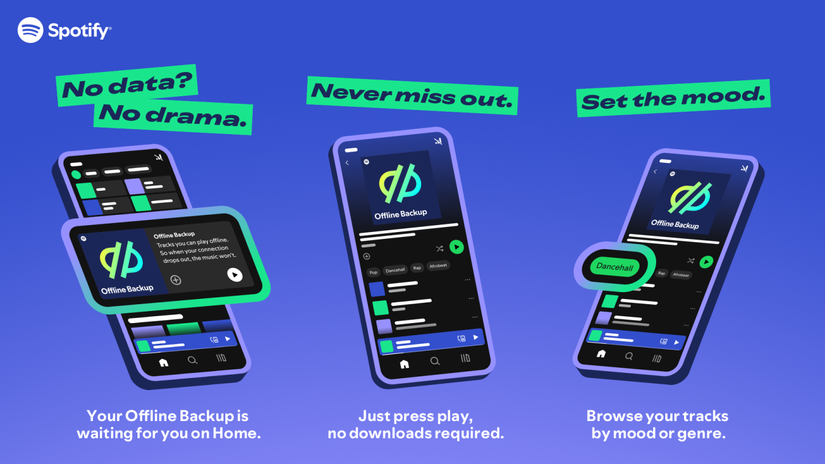
Offline Backup isn't the same as downloading your favorite music or podcast episode for listening when your device isn't connected to the internet.
If you activated Offline Listening in the Spotify app, the Offline Backup automatically creates a playlist, which includes tracks stored as a cache. So, you don't need to download anything manually.
Since the playlist includes your cached and recently played songs, it'll update automatically based on your listening habits.
So, if you connect to the internet between two offline listening sessions, expect some new tracks to appear in the Offline Backup playlist.
However, you must be a Premium subscriber, enable Offline listening in Settings, and listen to more than five songs when connected to the internet for the Offline Backup feature.
Offline Backup works on Android, iOS, Android Auto, and Apple CarPlay.
I get an uninterrupted music listening experience on Spotify even when my device goes offline temporarily, thanks to Offline Backup.
The playlist created by Offline Backup appears on your Home feed when Spotify loses an internet connection. You can also add Offline Backup to your Library.
Exclude songs from the taste profile
 Close
Close
If you don't like the tracks Spotify is playing, this is one of the best ways to tell its algorithm that you don't like the song.
This is also a great way to listen to all your guilty-pleasure songs without having much impact on the recommendations.
You can exclude both an individual song and a playlist from your taste profile.
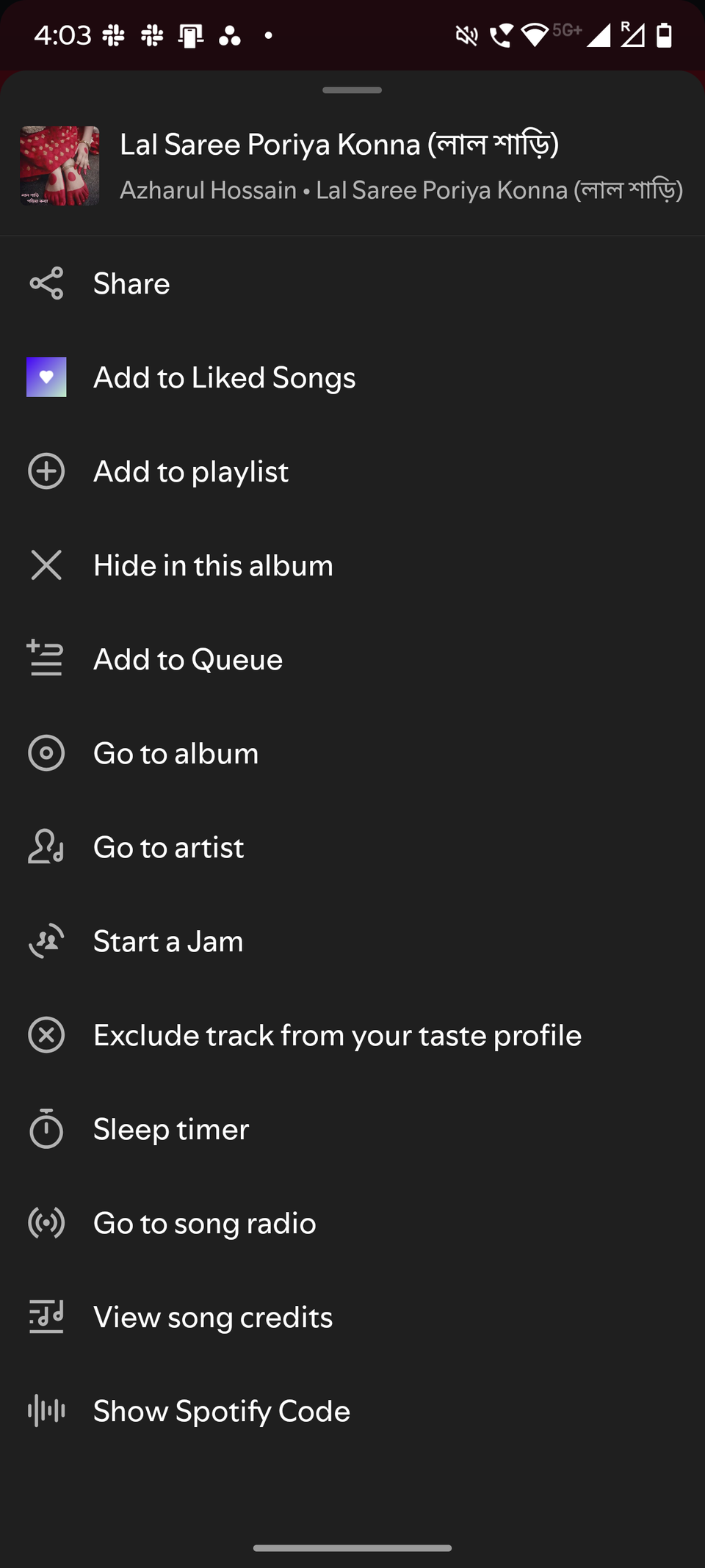
It is easy to use the feature. All you do is tap Exclude track in your taste profile in the three-dot menu that appears in the upper-right corner of the playing screen.
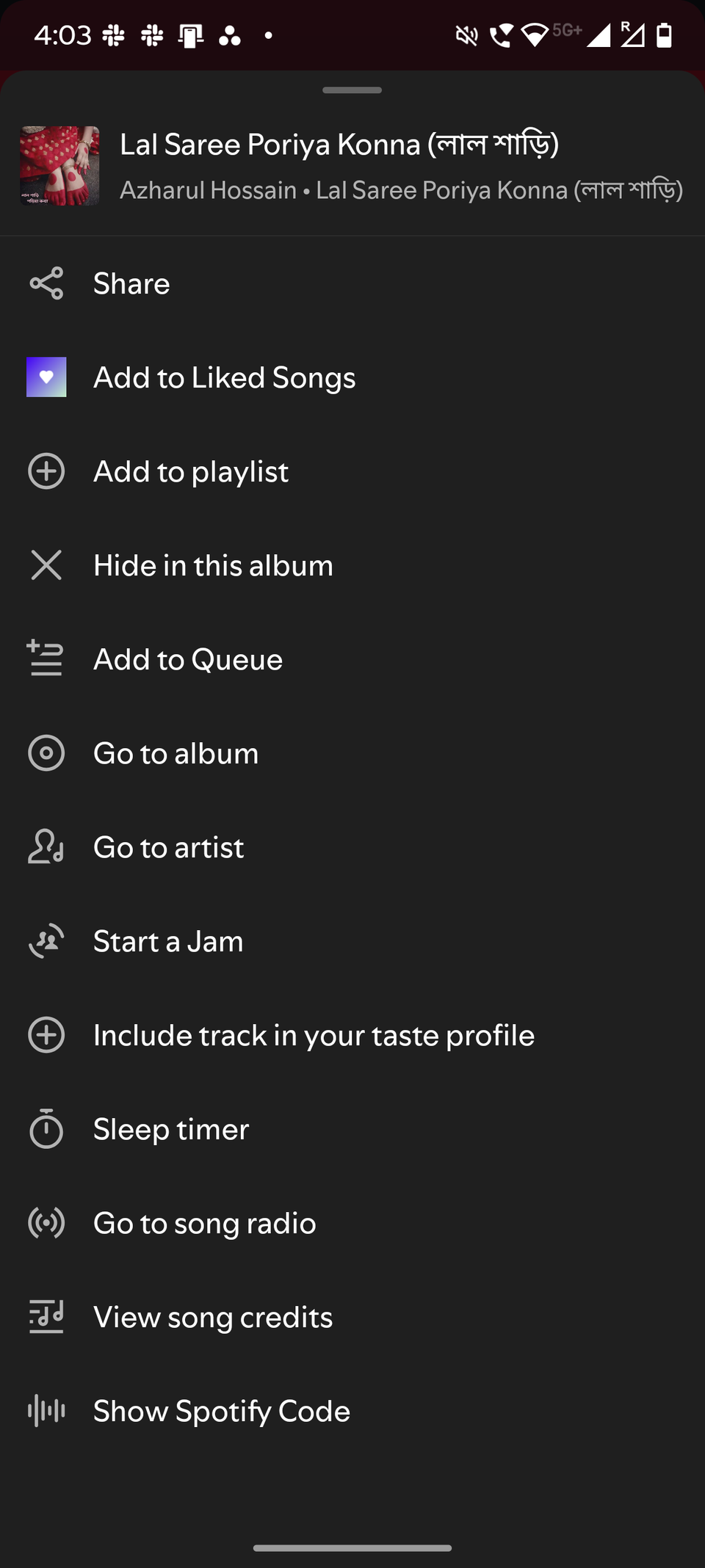
If you end up liking the song or playlist, you can reverse your action. To do this, tap the Include track in your taste profile option from the same three-dot menu.
If you want to apply this to a playlist, you can access the Exclude from taste profile feature the same way you did in the case of excluding individual tracks.
Spotify Jam
 Credit: Lucas Gouveia / Android Police | kungfu01 / Shutterstock
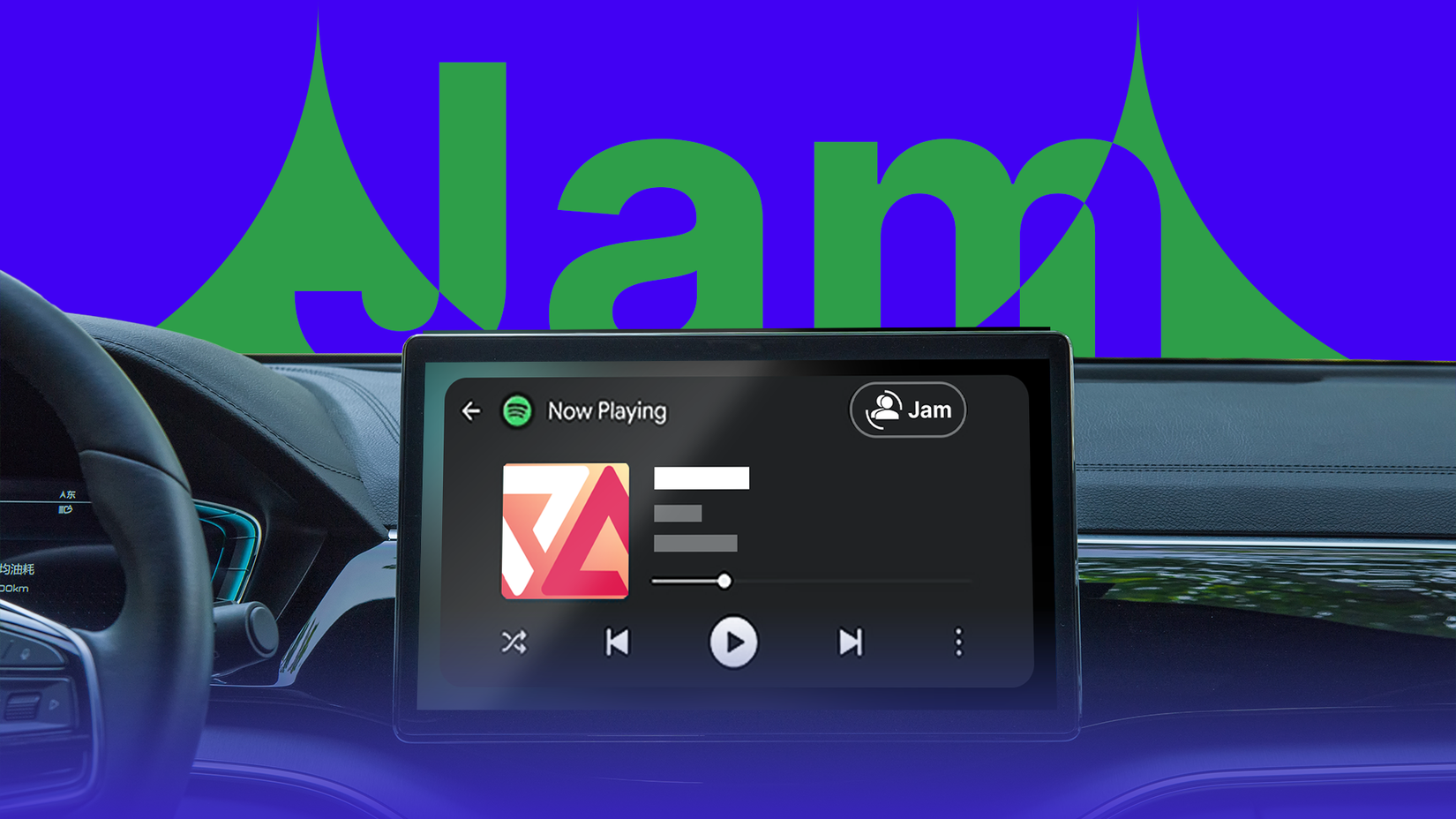
Spotify Jam gives you the best group listening experience. If you are a Premium subscriber, you can start a Jam and invite anyone, including free users.
When you start a Jam session with your friends, everyone in the group will listen to the same songs simultaneously.
Both hosts and guests can add or remove tracks from the shared queue if the host allows it.
However, a free user can't host a Jam. If you have a subscription plan, you can host one using simple steps.
You can invite someone living with you in the same room by turning on Bluetooth and tapping the phones together. Your friends can join in by scanning the QR code on your host screen.
If someone is away, you can start a Jam session and share the link through socials with someone to enjoy listening together.
Spotify Jam supports mobile devices, desktops, smart TVs, Android Auto, and Apple CarPlay.
Blend
 Close
Close
Blend is another excellent social feature on Spotify. But unlike Jam, Blend isn't real-time listening with your friends.
Subscribe for practical Spotify tips in our newsletter
Join the newsletter for concise breakdowns of Spotify features and comparable streaming-app tips—practical, how-to explanations of Connect, Offline Backup, Jam, Blend and taste controls, plus guidance on applying these tools across platforms. Subscribe By subscribing, you agree to receive newsletter and marketing emails, and accept Valnet’s Terms of Use and Privacy Policy. You can unsubscribe anytime.Instead, Blend generates a playlist that includes songs that reflect everyone's music preferences and tastes in the group.
Not only that, but you will also be able to see which song has been added for which friend.
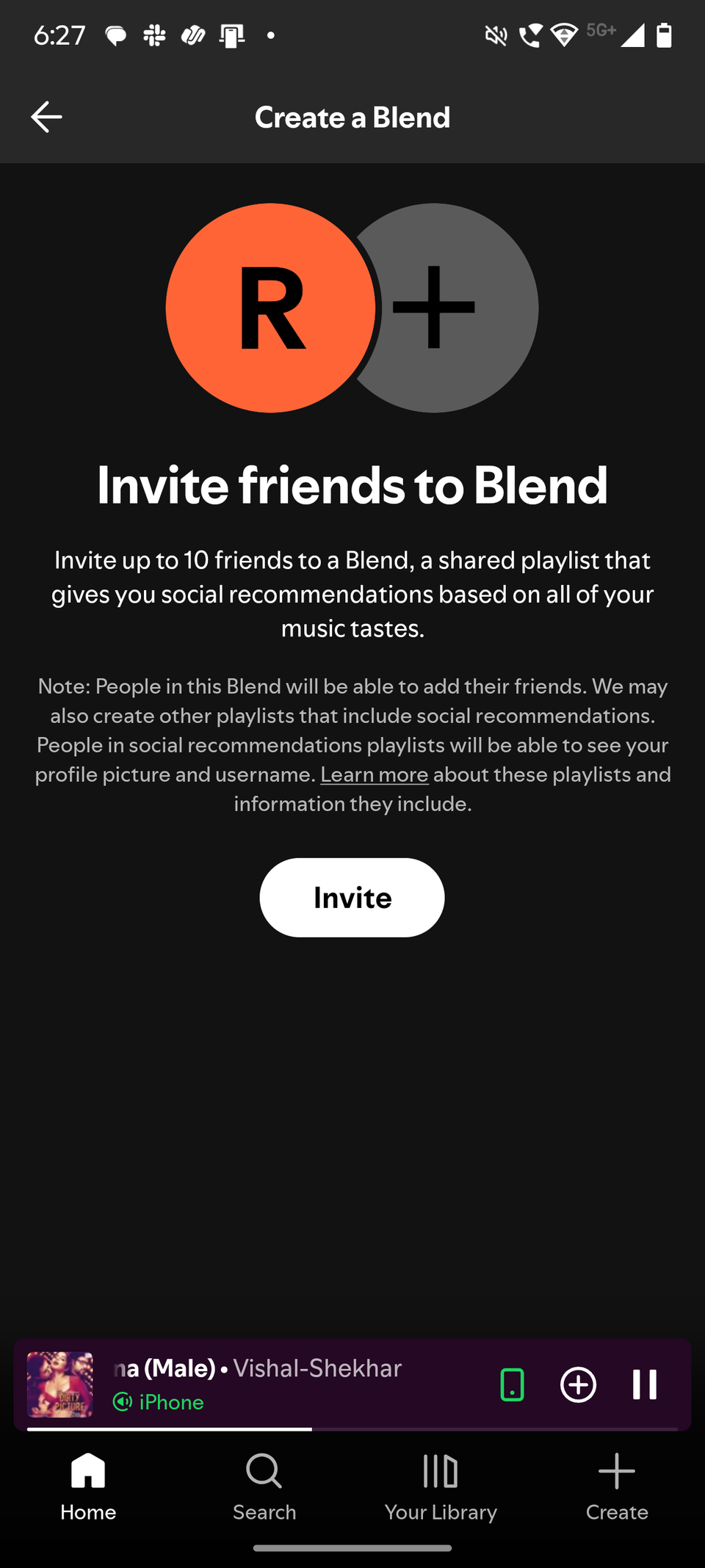
You can invite up to 10 people to a Blend playlist. The playlist will refresh daily with new songs that reflect everyone's tastes.
The closest alternative to Blend is YouTube Music's Taste Match feature. But it invites up to nine people, unlike Spotify.
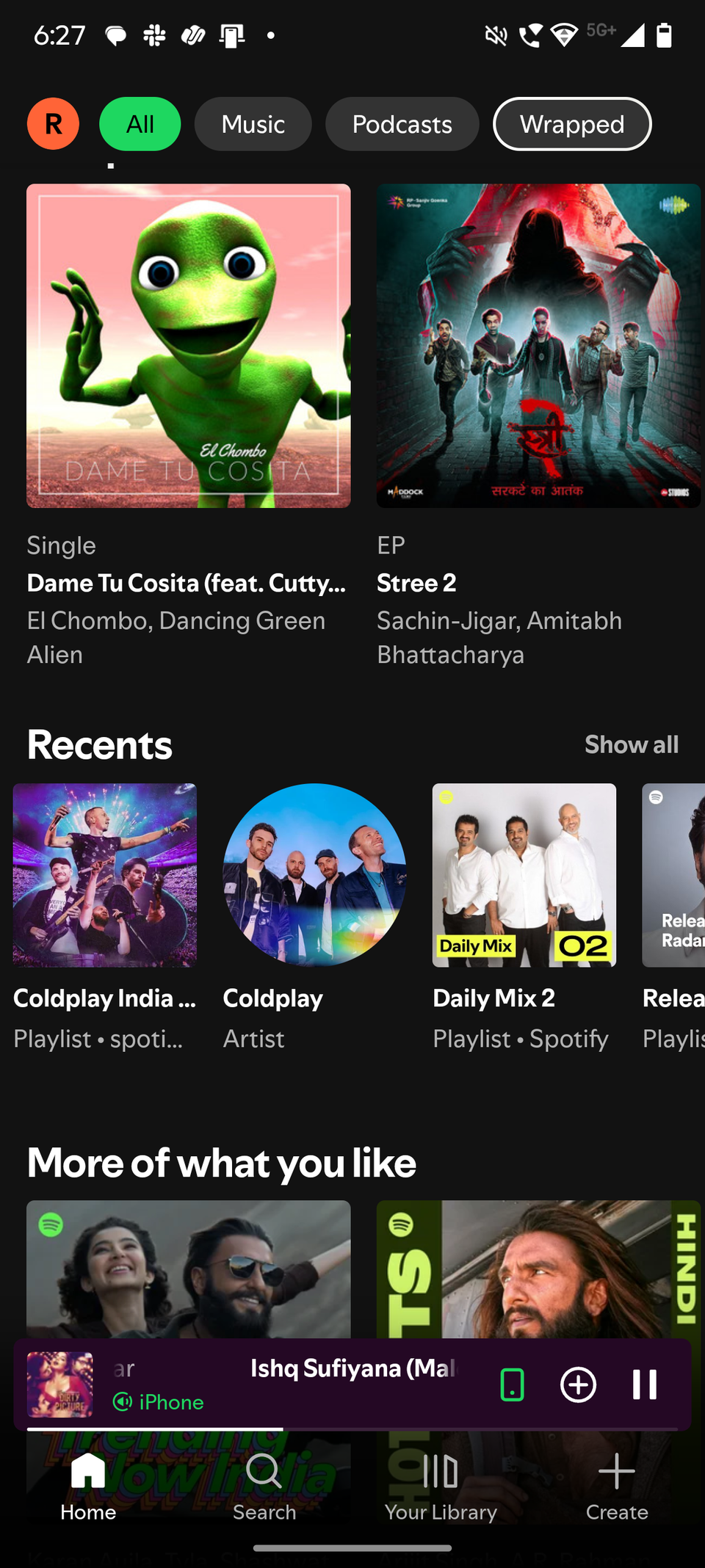
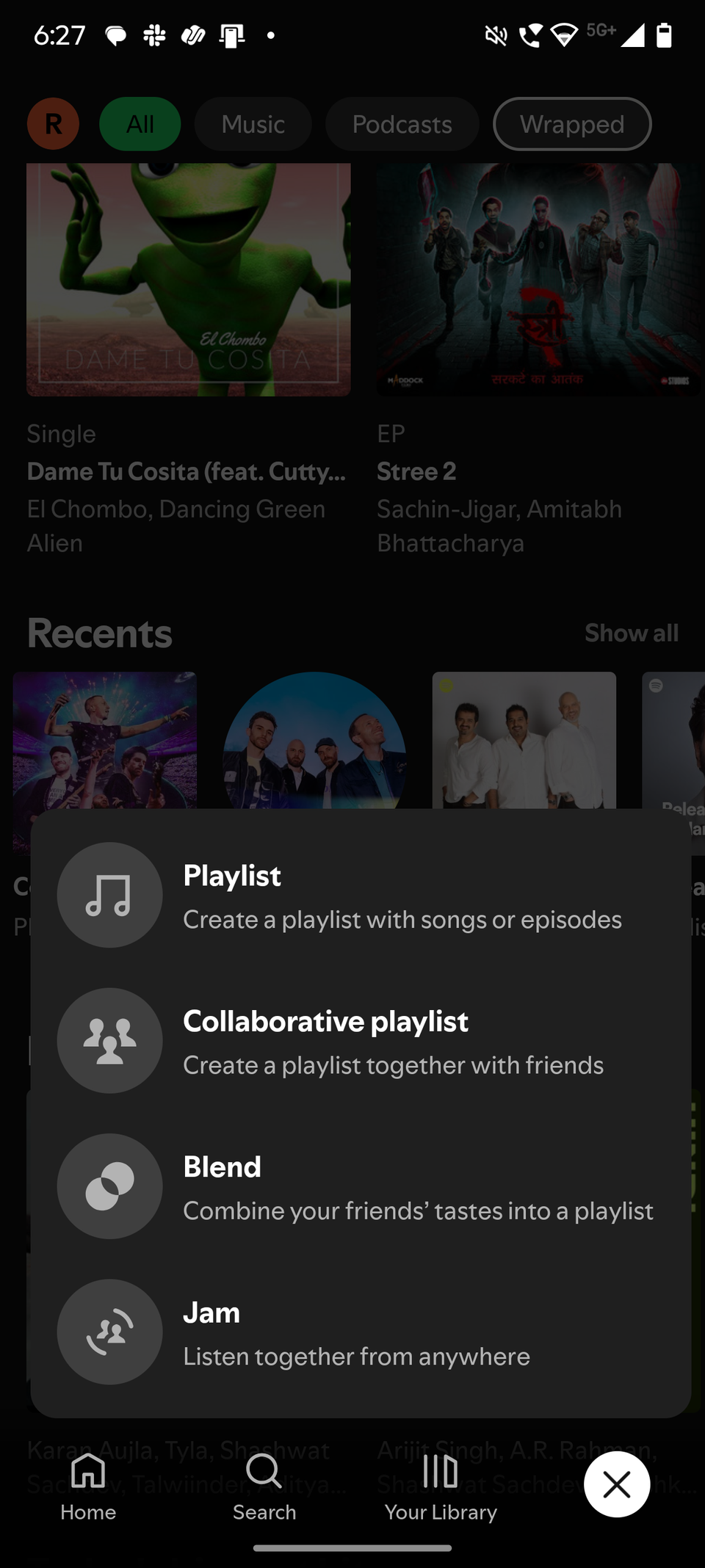
To use Blend on Spotify, tap the Plus icon in the lower-right corner, select Blend, and send the invite to anyone you want to join.
How I get more out of Spotify
While the above features are an impressive showcase of how good Spotify is, not everyone needs each one of them. I, for one, don't use its social features like Spotify Jam every day.
It's different for different people. This is what I love about the platform — it has something interesting to offer everyone, while not forcing anything.
I keep a close eye on what new features Spotify announces for its paying users and then try them when they arrive on my Spotify Premium account.
I never loved everything I tried, but it is perhaps the most effective way to get the most out of your Spotify Premium subscription.
I also try to navigate through different sections of the Spotify app at least once every couple of months. The last time I tried, it helped me discover the ability to exclude individual tracks from the taste profile.
It was one of the reasons I started listening to Spotify again. I look forward to discovering more such features, while YouTube Music remains my favorite music streaming service.
-
 Applications
 The hidden Android Auto feature that transformed my driving experience
 Google Gemini is awesome, but it needs to copy these features from ChatGPT
 I paired NotebookLM with YouTube and learned faster than I ever did with note-taking apps