 Credit: Lucas Gouveia / Android Police
 By
Anu Joy
Published 12 hours ago
Anu is a Features author at Android Police. You'll find her writing in-depth pieces about automation tools, productivity apps, and explainers.
Before joining AP, she used to write for prominent tech publications like iJunkie and Gizbot.
In her free time, you can find her making digital illustrations, playing video games, watching horror movies, or re-reading the classics.
Sign in to your Android Police account
Add Us On
Summary
Generate a summary of this story
follow
Follow
followed
Followed
Like
Like
Thread
Log in
Here is a fact-based summary of the story contents:
Try something different:
Show me the facts
Explain it like I’m 5
Give me a lighthearted recap
By
Anu Joy
Published 12 hours ago
Anu is a Features author at Android Police. You'll find her writing in-depth pieces about automation tools, productivity apps, and explainers.
Before joining AP, she used to write for prominent tech publications like iJunkie and Gizbot.
In her free time, you can find her making digital illustrations, playing video games, watching horror movies, or re-reading the classics.
Sign in to your Android Police account
Add Us On
Summary
Generate a summary of this story
follow
Follow
followed
Followed
Like
Like
Thread
Log in
Here is a fact-based summary of the story contents:
Try something different:
Show me the facts
Explain it like I’m 5
Give me a lighthearted recap
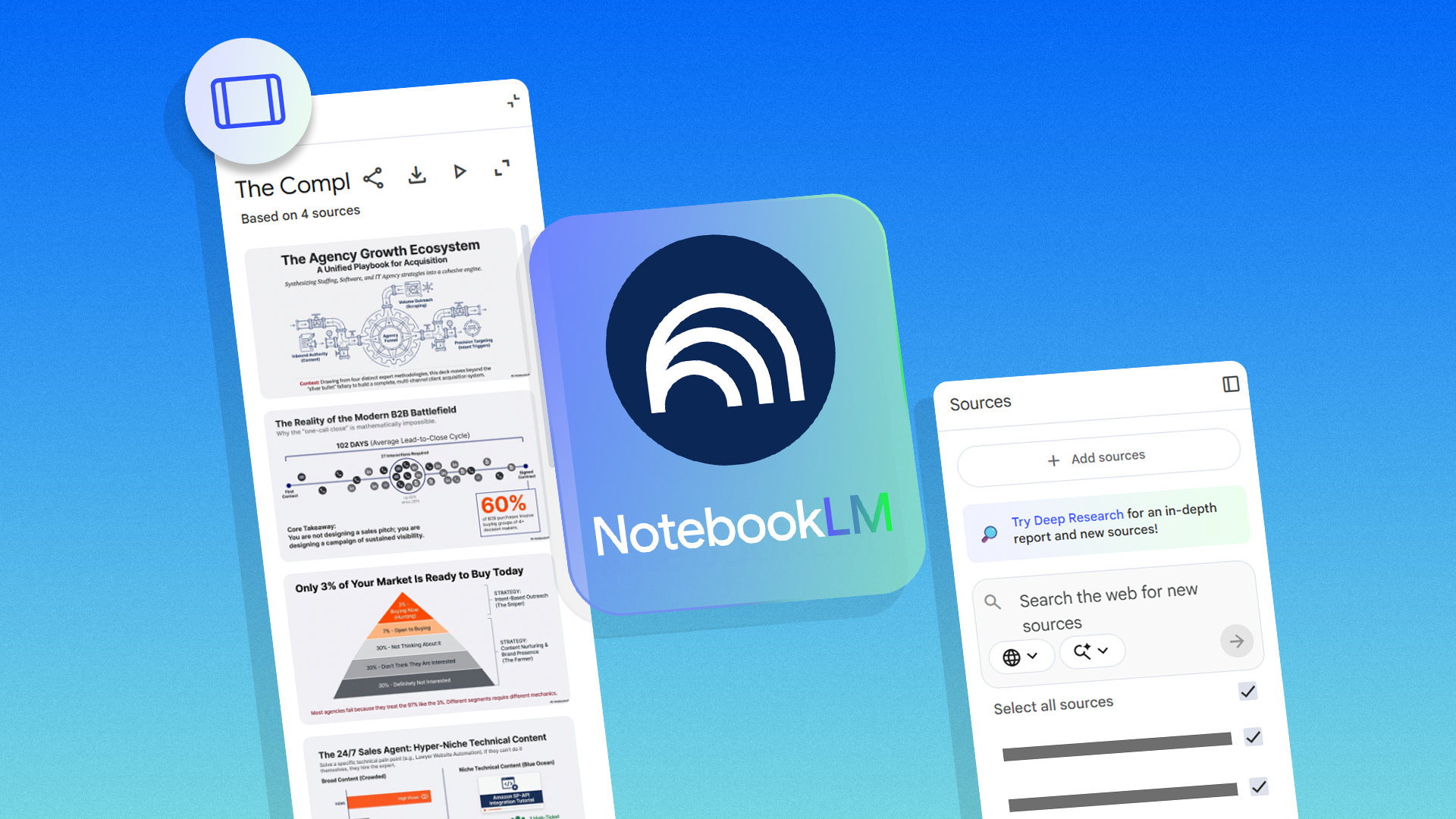
When I first opened NotebookLM and saw the Slide Deck feature, I assumed it would be just another tool for meetings: a way to turn notes into a presentation for work.
However, I’ve discovered that its Slide Decks are surprisingly versatile and can transform how you organize, visualize, and revisit information, far beyond office scenarios.
At its core, the feature is straightforward: NotebookLM can take notes, documents, or transcripts and automatically generate a Slide Deck.
But what sets it apart is its ability to extract the most crucial points and organize them in a logical flow.
After I realized this, I started experimenting with ways to make the feature work for me outside the usual meeting context.
 Related
6 NotebookLM tips I use to stay productive
Related
6 NotebookLM tips I use to stay productive
Google's NotebookLM saves me a lot of time
Posts 6 By Stanley MartinStudy and revision tool for complex topics
An unexpected use case for me was utilizing Slide Decks as a study aid.
By uploading lecture notes, textbooks, or research papers to NotebookLM, I could generate Slide Decks that boiled the content down into key concepts, with each slide focusing on one core idea.
This format also makes revision easier. I can skim through a deck in minutes and refresh my memory far faster than scrolling through pages of notes.
For topics I revisit occasionally, such as research papers, technical concepts, or personal learning projects, it provided a high-level view without losing crucial details.
It’s worth noting that I’m on the free plan, and in my experience, I’ve been able to create three Slide Decks per day.
Google has not provided a specific hard cap, but its support documentation indicates that users on the Google AI Pro plan can create five or more Slide Decks.
In practice, that’s been more than enough for how I use the feature, since I’m usually creating one or two focused decks at a time.
You can add custom prompts by clicking the pen icon beside Slide Deck in the Studio panel.
Using transcripts and handwritten notes as sources
Another reason NotebookLM’s Slide Decks work so well for me is how easily it can build presentations from real-world inputs.
I often add transcripts from meetings, lectures, YouTube videos, or voice notes, along with scanned or photographed handwritten notes, as source material before creating a deck.
These sources are rarely well-structured. Transcripts are lengthy and repetitive, and handwritten notes are typically incomplete or chaotic.
NotebookLM helps surface the key ideas, themes, and recurring points, and transforms them into concise slides that make sense later.
It was like turning a messy notebook into a presentation that I could revisit whenever I needed.
Turning recipes into a visual cooking guide
Beyond study and work, I’ve found NotebookLM’s Slide Decks surprisingly helpful for personal projects.
For example, I had a collection of recipes across Google Docs, PDFs, and websites. Usually, I’d keep them as a folder on my computer and refer back to them when needed.
But by uploading these materials into NotebookLM, I could create a Slide Deck that transformed my notes into a visual recipe book.
I added the recipe website links as sources in NotebookLM, then used a prompt:
Create a deck where each slide contains a single recipe, including the ingredients, steps, and an image of the finished dish.
NotebookLM handled the rest, pulling the relevant details from each page and organizing them into clean, readable slides.
The result was far more convenient than I expected. Each slide became a self-contained recipe card I could scroll through on my phone or tablet while cooking.
The best part was that it eliminated ads, pop-ups, and those long personal essays before the instructions.
This approach also makes it easy to group recipes by theme, like quick weeknight dinners or weekend projects.
Project planning and visual outlines
Slide Decks aren’t just for summarizing content. I’ve also used them to plan projects.
I had a side project that involved multiple steps, research materials, and reference links scattered across documents.
By uploading these documents into NotebookLM and generating slides, I could create a visual outline of the project.
Each slide represented a stage of the project, with relevant notes and references automatically pulled in.
It gave me a clear, navigable roadmap that I could revisit and even share with collaborators.
One practical tip here is to structure your notes in a chronological or logical order before generating the slides.
NotebookLM tries to infer the order, but a little guidance upfront makes the resulting deck much easier to follow.
Creating a house-sitter guide
Another unexpected way I’ve used NotebookLM’s Slide Deck is to create a simple house-sitter guide.
When someone is staying over to look after your place, there’s always a long list of things you need to explain, like Wi-Fi details, trash days, or emergency contacts, and it rarely comes out in an organized way.
Instead of writing a dense document or sending a stream of messages, I added a Google Docs file with all my instructions as a source in NotebookLM and generated a Slide Deck.
Each slide covered a topic: how to lock up, where supplies are, how specific appliances work, and what to do in case something goes wrong.
Subscribe for NotebookLM Slide Deck tips and templates
Get more Slide Deck ideas by subscribing to the newsletter: practical prompts, ready-to-use workflows, and curated examples that show how NotebookLM can turn notes, transcripts, recipes, and project documents into clear visual guides. Subscribe By subscribing, you agree to receive newsletter and marketing emails, and accept Valnet’s Terms of Use and Privacy Policy. You can unsubscribe anytime.What made this even more helpful was how well NotebookLM handled mixed sources.
Along with written notes, I uploaded a photo of my Wi-Fi QR code and a few pictures of my cats, then asked it to include them directly in the slide deck.
It worked exactly as I hoped. The final guide included a slide with Wi-Fi details, as well as another that clearly showed which cat was which.
I downloaded the Slide Deck as a PDF file, printed it, and taped it to my fridge.
After creating that guide, I realized this method applies to daily situations.
I’ve since used Slide Decks to make quick visual guides for explaining routines to a pet sitter, documenting how to use a new appliance, or outlining steps for a recurring process I don’t want to re-explain every time.
I print them out, so there’s always a physical copy around when it’s more convenient to glance at a page than open an app.
 Related
I asked NotebookLM to help me hack my reading list — here's what worked
Related
I asked NotebookLM to help me hack my reading list — here's what worked
How I keep up with everything I read
Posts 1 By Anu JoyNotebookLM’s Slide Decks are more than a presentation tool
NotebookLM Slide Decks have proven to be far more than a meeting tool for me.
From organizing holiday recipes to summarizing workshops and creating study aids, the possibilities are surprisingly broad.
What makes NotebookLM helpful is that it transforms my notes into reusable visual content.
When you start thinking beyond meetings, the Slide Deck feature becomes a flexible tool for learning, planning, and even personal projects.
Follow Followed Like Share Facebook X WhatsApp Threads Bluesky LinkedIn Reddit Flipboard Copy link Email Close Trending Now I paired NotebookLM with YouTube and learned faster than I ever did with note-taking apps
 I've had enough — Google still has these 5 Pixel problems to sort out in 2026
 I recently discovered this hidden Google Maps feature, and now I use it every day